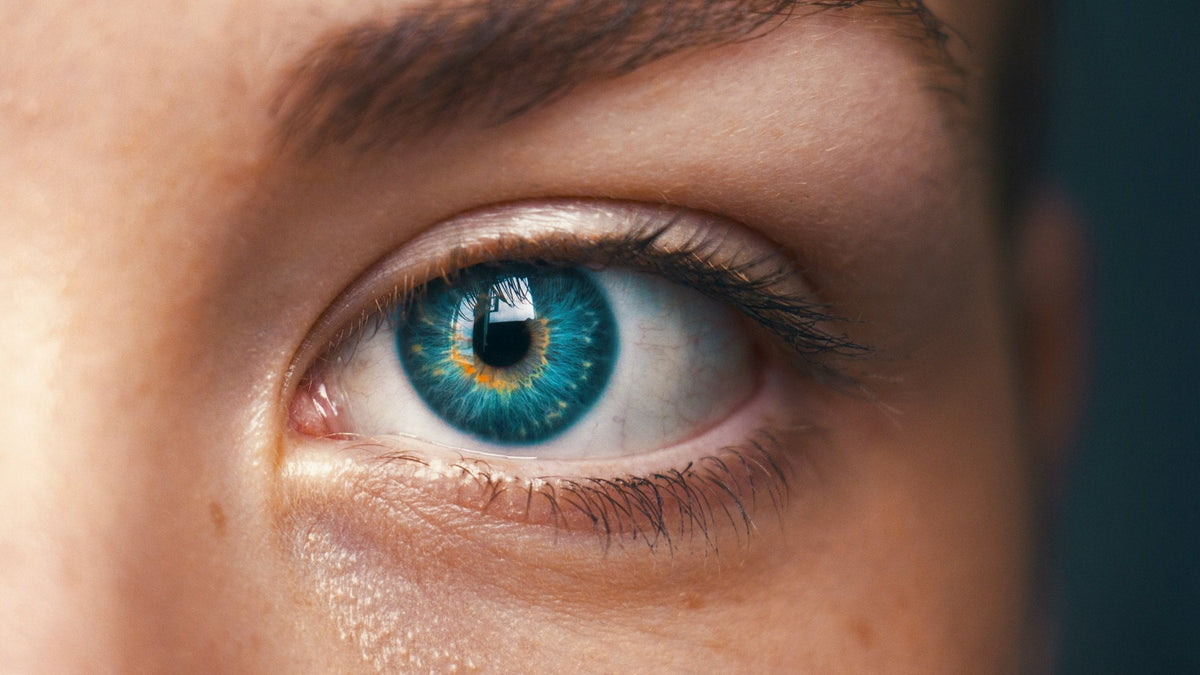


How to Feel Closer on Video Calls in a Long-Distance Relationship
The short answer: video calls feel distant and disconnected partly because you can't make eye contact on them. Your webcam sits above the screen and your partner's face sits in the middle of it, so when you look at them, you seem to be looking at their chin. A few free changes shrink that gap, and a two-way mirror that puts the camera where their face is closes it. The More Connection Cam uses this simple hack to make it possible to look each other in the eyes on video calls as if you were in the same room.
You've done everything right. You've worked out the time zones. You've got the 9pm-your-time, 7am-mine video call down to a ritual. You talk for two hours.
Then you hang up, and it feels like you've spent the evening talking to a very warm, very loved poster of them.
Nobody can fix the miles. But part of what feels off on those video calls has a cause you can actually do something about, and it's sitting on top of your laptop.
Why do video calls feel so disconnected?
Every video call you've ever made has the same quiet flaw.
Your webcam sits above your screen. Your partner's face sits in the middle of it. So when you look at their face, the webcam films you looking down. They see you gazing somewhere around their collarbone. Meanwhile they're doing exactly the same thing back.
Two people who love each other, both looking straight at each other, and no one is making eye contact.
The only way to look like you're looking at them is to stare into a small black dot above the screen. Which means you stop seeing them at all.
The lesson: on a normal video call, you can look at them or appear to look at them. Never both.
Does eye contact actually matter that much?
For couples, it looks like it matters a lot.
In a 2017 study, researchers recorded the brain activity of 24 long-term couples and 25 pairs of strangers while each pair sat face to face and planned a fun day together. The couples' brains fell into step with each other, meaning they actually synchronized (what happens when we "feel connected" in real life). Strangers' brains didn't. And the couples were most in sync during the moments they were looking at each other.
A 2022 study led by Caroline Di Bernardi Luft found the same pattern from the other direction: eye contact raised the synchrony between two people's brains, and more so between friends than strangers.
There is a catch, though. A 2020 study compared looking into a live partner's eyes with looking at a recorded video of a face, and the brain coupling only showed up with the live person. A screen does not hand you any of this for free.
The lesson: shared eye contact is one of the ways close people tune into each other, and feel connected to each other. A standard video call quietly removes it.
5 free things to try on your next video call
- Drag their video window to the top of your screen, right under the webcam. The closer their eyes are to the lens, the less you look like you're staring at their chin.
- Sit further back. The further you are from the screen, the smaller the angle between the lens and their face. Arm's length is better than leaning in.
- Hide your self-view. Stanford researcher Jeremy Bailenson lists staring at yourself all day as one of the main causes of video call fatigue. Most apps let you turn it off once you've checked your hair.
- Say the important things to the lens. When you say "I miss you", look at the little black dot. You'll lose sight of their face for a second. That's the trade, and it's worth it.
- Stop treating every video call like a check-in meeting. Cook the same recipe. Watch the same film. Walk around your separate cities together. Not every minute has to be face to face.
The lesson: these shrink the problem. None of them removes it, because the camera is still in the wrong place.
How do you actually make eye contact with EACH OTHER on a video call...like you were both in the same room?
You move the camera to where their face is.
Newsreaders have done this for decades with teleprompters: a sheet of two-way glass in front of the screen, with the camera looking through it. The More Connection Cam does the same job for a laptop or monitor, in a hood that folds flat.
- It hooks over the top of your screen.
- An angled two-way mirror sits in front of the screen and let light through, so you still see the screen clearly.
- Your phone lies in the base with its main camera facing up, and the mirror puts the lens in the middle of the screen.
- Your phone becomes the webcam: Continuity Camera on a Mac with an iPhone, or a free app such as Camo or DroidCam for other phones and Windows.
- It works with any video call app that lets you choose a camera, including Zoom, Microsoft Teams, Google Meet and FaceTime.
With one Cam, your partner sees you looking at them. With two, you can look each other in the eye as if you were face to face.
"My partner is over 7000 miles away, but this device makes it feel that much closer to being in the same room. You don't realize how important eye contact is until you suddenly have access to it again after 6 months." James, London (More Connection Cam beta testers)
Who it isn't for
Be honest with yourself here, because a gadget in a drawer helps nobody.
- If you mostly video call on your phone, it won't help. It sits on a laptop or monitor screen at least 30.5 cm (12 in) wide.
- If you want something that just plugs in, this isn't it. It uses your phone as the webcam, so there's some setting up the first time. There's a setup video for every phone and computer combination.
- If only one of you gets a Cam, they'll see you looking at them, but you won't see them looking back. Eye contact both ways takes two.
Sending one to each of you
The Cam costs £45 for one or £80 for two, and you can ship one to you and one to your partner in a single £80 order. It ships worldwide from our US warehouse. Orders usually leave within 1 to 3 working days, then take 5 to 7 working days in the US and 7 to 16 days elsewhere. Every Cam comes with 30-day returns.
Christmas: order by Friday 27 November if either of you is outside the US, or by Friday 4 December if you're both in the US.
The point
The miles are still the miles. A Cam won't change the time difference, and it won't make the goodbyes easier.
But the next time you say goodnight, they'll see you looking at them and you'll feel them looking at you.
Quick questions
Do we both need a Cam? For eye contact both ways, yes. With one, only the person on the other end sees you looking at them.
Which apps does it work with? Any video call app on your computer that lets you choose a camera, including Zoom, Microsoft Teams, Google Meet and FaceTime.
Can I send one straight to my partner in another country? Yes. The £80 pair can go to two different addresses, and the Cam ships worldwide.
Sources
- Kinreich, S., et al. (2017). Brain-to-Brain Synchrony during Naturalistic Social Interactions. Scientific Reports, 7, 17060.
- Luft, C. D. B., et al. (2022). Social synchronization of brain activity increases during eye-contact. Communications Biology, 5.
- Noah, J. A., et al. (2020). Real-Time Eye-to-Eye Contact Is Associated With Cross-Brain Neural Coupling in Angular Gyrus. Frontiers in Human Neuroscience.
- Bailenson, J. N. (2021). Nonverbal overload: A theoretical argument for the causes of Zoom fatigue. Technology, Mind, and Behavior.